

Technical Specs – 21” 2/3MP – 1100cd/m2 – NTSC 72% – 1800:1
Features Internal sensor (calibration) Front sensor (presence, luminance) Pathology mode, focus view mode Down/back light Tilt, pivot, swivel
Accurate Images for a Precise Review
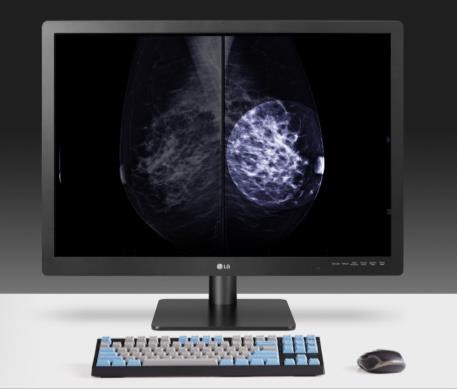
3MP (1536 x 2048) IPS Display I 1100cd/m2 Brightness I Multi-Resolution Mode (2MP/3MP)
21 HQS 1 30 has a 21.3-inch 3MP IPS display with 11 00cd/m2 (Typ.) brightness which facilitates the precise review of CT and Angiography images by enabling medical professionals to detect subtle details faster. High brightness and contrast enhance the visibility of text and help to illuminate abnormalities. The 2MP and 3MP resolution options provide optimized image quality for various modalities, making it easier to select the optimal viewing settings.
Reliable Imagery for Optimized Diagnostics
Focus View I Pathology Mode
Focus view allows users to review specific parts of an image more closely. The area of concern can be selected, magnified, and the brightness can be adjusted depending on the image source, using just a mouse and keyboard, while other areas of the image are automatically darkened. Additionally, with Pathology Mode the 21 HQS 1 30 helps medical professionals to see more details with accurate color similar to that shown directly under a microscope.
Internal Sensors (Backlight Sensor I Front Sensor I Auto Luminance Sensor)
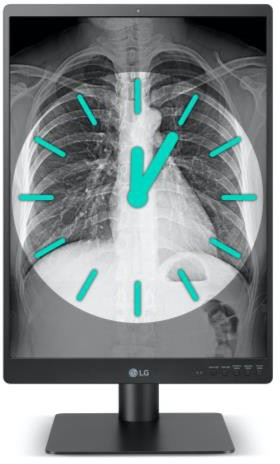
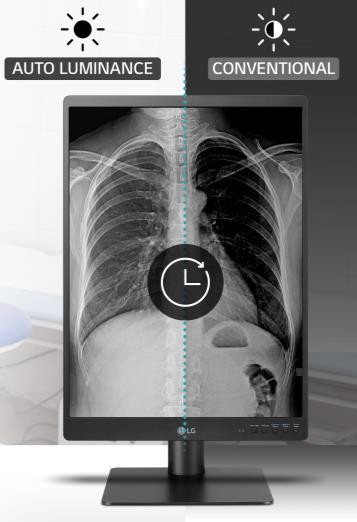
The 21 HQS 1 3D is equipped with a variety of sensors to create an optimized diagnostic environment. The backlight sensor automatically adjusts luminance to stabilize brightness for consistent imagery. The front sensor enables the device to conduct automatic hardware calibration without the need for additional equipment to maintain accurate values and improve image quality and consistency. Not only does this increase efficiency it also reduces the need for additional operating costs or manpower. Finally, the Auto Luminance Sensor ensures screen brightness is always optimized for the ambient lighting conditions, reducing the risk of eye strain.
Intuitive Controls for Increased Productivity
5 Hot Keys I Presence Sensor
5 Hot Keys built into the 21 HQS 1 3D allow you to access Down/Wall Light, Presence Sensor, Light Box mode, and Picture Mode faster and more intuitively than an on-screen menu. The built-in Presence Sensor automatically turns off the display when no motion is detected. This reduces power consumption while dramatically reducing the hassle of manually turning the display on and off.
Ergonomic Stand (One-click) I Lightweight Body I Down/Wall Light I Narrow Side Bezel
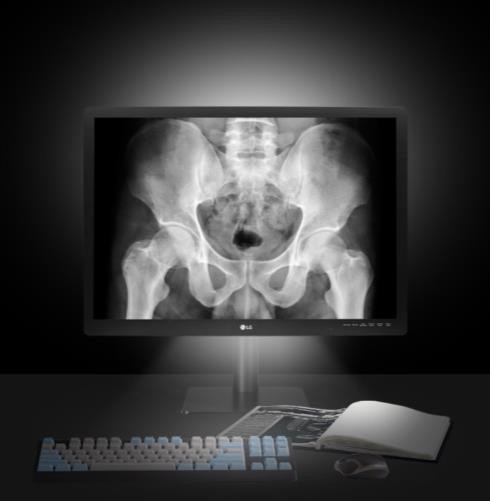
An ultra-lightweight body and one-click stand make installing the 21 HQS 1 3D simple. Additionally, users can easily adjust the height, tilt, pivot of the display thanks to its ergonomic design, helping to reduce chronic pain caused by long hours of work and poor posture. Down and Wall Lighting modes reduce the contrast between the display and the ambient surroundings allowing users to work comfortably without having to adjust the lighting to view paper documents in dark reading rooms. Additionally, the Narrow Side Bezel minimizes disruption that may be caused by a wide bezel, meaning that the monitor can be pivoted to create an ideal multi-display setup

Around 15 years, Our company established under the strategy of working on the refurbishes brands in Xray modalities like Philips , Shimadzu , GE , Siemens , Hitachi and Toshiba . / We also are specialized in Radiology Image Processors like Automatic Processor , CRs , DRs , Hard Copies like Carestream , Fujifilm , AGFA , Konica .
© All rights reserved to Comma Creative Solutions